Home Icon LS Blogging Tips Icon LS Family Icon LS Photography Icon LS Social Media Icon LS Consumer Info. Icon LS Strabismus Icon LS Freebies Icon LS Link Ups Icon LS Advertise Icon LS
Showing posts with label youtube. Show all posts

September 10, 2014

Beauty guru or bust!

I’ve been obsessed lately with beauty gurus, both vloggers and bloggers.  After much thought, I have decided to start a new beauty blog and/or YouTube channel.  With Alivia starting school this Fall, I’ll have an entire hour and a half each day all to myself.  I say that sarcastically since an hour and half isn’t even enough time for me to catch my breath never mind fulfill a life long passion of mine: MAKE-UP!  And although it may not work out or fit in with our day-to-day activities and schedule, I’m still going to take the plunge and try!
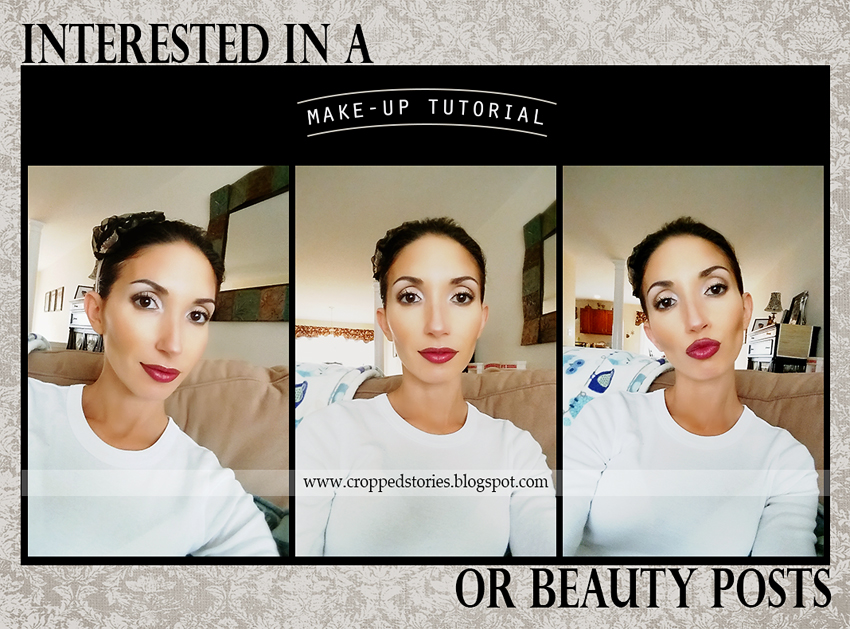
BEAUTY GURU OR BUST
 
Makeup Tutorial Youtube videos or Beauty Blog via Cropped Stories

Go easy on me, I’m still trying to perfect my selfie skills.  It’s not easy taking pictures of yourself without a little bit of face and/or body distortion.

With that said, I’d love to know what my readers would be interested in.  Topics you’d like to see me post about, videos you’d like to watch, things you’d like to learn etc. 

For those of you interested, I have every intention of keeping my primary blog, Cropped Stories, up and running.  Of course, since my leave of absence, I’m sure you’ve noticed quite a BIG change in the frequency of posts being published.  I went from publishing 2-3 posts a week to 1 every couple of months. 

So, how do I intend to maintain two blogs when I can barely maintain one?  Lots of praying!  Praying for more hours in the day, ten more fingers to type with, Alivia to take naps, and a seemingly quick knowledge of video editing software.  I just want to know how to add music to my videos already!

Anyhow, your participation in my poll would be helpful and much appreciated.  You can also feel free to leave me a comment or email me at:

croppedstories[at]gmail[dot]com 

I'm thinking of starting a beauty blog or YouTube channel. I'd love to know which topic would interest you most.
 
pollcode.com free polls 

If you missed my previous post, Blogging: 8 Ugly Truths, feel free to catch up!  Also, feel free to pass this along to others you think would be interested in voting!  Have a great week!

November 3, 2013

Keeping Connections Strong when Distance is Far

Hello readers of Cropped Stories! I'm Alicia and I blog over at A Sweet Fragrance. My family and I are American-born but live as expats over in SE Asia. I blog about our life overseas, recipes I attempt to make while substituting lots of ingredients, projects I do around the house, "tot school" lessons I teach to my toddler, and lessons I learn through parenting and walking with the Lord. I hope you'll stop by my blog for a visit!

May 6, 2013

Famepack (genius or ridiculous)?

Before you move on to my post, can you take one second (okay maybe 5 seconds) to check out my poll located in my sidebar to the right?  Your vote would be greatly appreciated!

First, I want to clarify that the following are ONLY my opinions and in no way should be taken as factual data. This is just a collection of thoughts I choose to share.

I received an email last week from this website, Famepack, and I was pretty amazed.  Apparently you can purchase likes, follows, and subscriptions for your social network pages.  Specifically for Facebook, Twitter, and YouTube.  Really?  It's crazy to think you can purchase just about anything these days.  If you need something, I'm sure it's being sold somewhere!  On one side, I think the idea has great potential depending on how it was executed.  On the other side, I'm not quite sure what to make of it.  I can imagine it would appeal to those eager for exposure who can't put in the time to network themselves. Let's face it, we don't always have the time to put in and I'm pretty sure we all know the benefits that social media exposure has on our businesses, communities, organizations, charities, blogs, etc.

March 21, 2013

HTML to insert images into your posts!

You know when my bloggy life changed?  The day I realized I should be using html to insert my images into posts. 

I was having some major issues with the insertion of images into my posts.  Whether I used my hosting server (Blogger) or blogging tool (Windows Live Writer), the image quality always suffered.  It used to drive me absolutely bonkers!  There is nothing worse than spending the time to process a beautiful image just to have it be compressed during insertion.  The scary thing?  I was even resizing my images and saving them as maximum quality .jpgs thinking it would make a difference!  You would think resizing them would negate the servers necessity to decrease the image file.  Unfortunately this is not the case and they were still being compressed.  Do you know what happens to an image during compression?  Pixellization (I promise, it’s a word).  In a larger image, the pixels are difficult to see since there are more of them and they are smaller.  With compression, you start to lose pixels and they become larger (and more visible).  This usually results in a block type appearance which can be confused as an out of focus image.  And let’s face it, there is nothing worse than a blurry/fuzzy image especially when your subject is a person.  Is it too much to ask that my blog readers see the beautiful, crisp, un-pixelated (okay, I’m not sure if this one’s a word) images I see in my photo editing software?  I don’t think so.

March 17, 2013

Make eyes pop in Photoshop! (video tutorial)

Are you looking for a quick and easy way to make eyes in your images pop?  If so, I have a great video tutorial for you today!

Duration: 11 minutes
Software: Photoshop CS6
Level: Beginner-Intermediate

Touches on the following topics:

- duplicating layers
- dodge/burn tool
- layer opacity changes
- using filters (unsharp mask)
- creating layer masks
- inverting masks (to reveal effects)
- brush tool (using white to reveal)

March 14, 2013

2 free phone applications for the kids!

As I sit here typing this post, my little one is using the Talking Tomcat 2 phone application.  For those that aren’t familiar with this application, it is a freaking riot!  It allows you to talk to an animated cat that will repeat everything you say in a munchkin type voice.  I think my tot thinks she’s having a two sided conversation with it when all it’s really doing is just copying her.  She keeps telling it everything she is doing.  As funny as the application is, though, I wouldn’t recommend it to children of all ages. 

With the touch of a button you can make a dog come into the room and, how can I say this nicely, release gas as the poor cat rolls his eyes and grabs his nose in disgust.  If that’s not enough, it also promotes some serious violence.  You can tap him on different parts of his body like you are hitting him.  Sometimes, depending on how hard you tap the screen, he can be knocked out.  Other buttons include having a dog hit the cat with a pillow and smashing a cake in his face!  With all that said, this is NOT one of the applications I am recommending to the younger kiddies but for the older ones and adults out there that could use a laugh, you’ve got to download this immediately!

March 12, 2013

Tone your images in Photoshop! (a video tutorial)

I don’t know how you prefer your images, but I usually like mine to have a lot of contrast.  I’m not talking about so much that the whites and blacks in the image have lost their detail, but I do like to make the shadows and highlights really pop!

Then there are times that I just want to tone everything down.  Do you ever feel that way?  It was taking me awhile to figure out why I wasn’t completely happy with the processing of an image but then it was like a light bulb went on over my head and I was certain of the look I was going for!  I know toning can mean a different things when it comes to photography so the type of toning I am speaking of is when the overall colors/shadows/highlights of the image blend together to create a smoother appearance.  I guess the opposite of the toning I am speaking of would be less contrast. 

March 10, 2013

Want to make your own storyboard?

No problem.  Since I’m always creating storyboards/collages for my readers, I thought it would be fun to share my knowledge so that you can create your very own!  It’s actually pretty simple.  My recommendations for viewing this video tutorial at its maximum quality are:

1. Make sure the volume is up on the video.
2. Make sure the volume is up on your computer.
3. Change the viewing quality to 720p HD (the first button/icon on the bottom right side of the video).
4. Use the large player on YouTube (the fourth button/icon on the bottom right side of the video).  Viewing at full screen tends to look a little blurry/fuzzy.

March 7, 2013

Image Editing Tutorial 2 (Photoshop CS6)

See.  I told you I’d be posting another video tutorial.  I’m proud to say this one is only 20 minutes long!  I improved by a whole 10 minutes!  Go me!  In case you missed my last video tutorial, you can find it HERE.  Before I leave you, I have a few recommendations for viewing this video at it’s maximum quality.

1. Make sure the volume on the video is up (second icon/button from the right at the bottom of the video).
2. Make sure the volume on your computer is up.
3. Be sure to view in 720p HD (second icon/button on the left at the bottom of the video).
4. Viewing it with the large player, instead of full screen, comes in more crisp & clear (fifth icon/button on the left at the bottom of the video).

March 4, 2013

An image editing tutorial (in Photoshop CS6)

I’ve received some inquiries about how I am editing my photos and I’d love nothing more than to share my process with those that are interested.  Of course, this was my first time recording a video on my computer so it was quite the experience. And can I be totally honest?  I sort of hate the sound of my own voice on video.  I feel like it doesn’t even sound like me.  Also, I apologize in advance for the background noise.  I recorded in complete silence but for some reason my video contains a little white noise.  I’m not really sure what it is.  All I can think of is that it may have been caused by the microphone.  It is also a whoppin’ 30 minutes long.  I know what you are thinking.  Boy what a snooze fest.  I didn’t mean to go on and on and on but let me just tell you how easy it was.  Seriously, I had more to say.  Thank heavens I chose to leave some things out.  I also tend to be a little repetitive, but I wasn’t sure how familiar with Photoshop my audience would be so I wanted to be sure to be thorough.  Anyhow, here are few pointers to view the video at its best quality.

Related Posts Plugin for WordPress, Blogger...